250,000 GitHub stars in 60 days.
That's not a typo. OpenClaw just became the fastest-growing open-source project in history, passing React, Vue, and every other major project on GitHub. And it did it in two months.
If you've been hearing the name but aren't sure what the fuss is about, here's a plain-English breakdown of what OpenClaw actually is, what it does well, and where the rough edges are.
What OpenClaw actually does
OpenClaw is a self-hosted AI agent. That means it's an AI assistant that runs on your own computer or server, not on someone else's cloud platform.
You install it, connect it to a messaging app you already use (WhatsApp, Slack, Telegram, Discord, Teams, Signal, or about 50 others), and then you talk to it like you'd talk to a coworker. Ask it to check your calendar, draft an email, manage files, browse the web, or automate repetitive tasks.
The key difference from tools like ChatGPT or Claude's web interface: OpenClaw runs on your machine. Your conversations, your files, and your data stay on your infrastructure. Nothing gets sent to a third-party platform unless you choose to.
You also get to pick which AI model powers it. Want to use Claude? Fine. GPT? Also fine. DeepSeek or a fully local model through Ollama (a tool that lets you run AI models on your own hardware)? That works too. You're not locked into any single provider.
Why it grew so fast
The growth numbers are wild, but they make sense when you look at the timing.
People have been paying $20/month for ChatGPT Plus, $20/month for Claude Pro, and separate fees for every AI tool bolted onto their workflow. That adds up. And every one of those subscriptions means your data sits on someone else's servers, subject to their privacy policy and their pricing decisions.
OpenClaw flipped that model. Free software. Your hardware. Your data. Your rules.
The project started in November 2025 under a different name (Clawdbot), got renamed twice due to a trademark issue, and landed on "OpenClaw" in January 2026. Each rename generated press coverage, which fueled the growth. But the stars kept climbing because the product is genuinely useful, not just because of the headlines.
What it looks like in practice
Once installed, OpenClaw gives you a web-based Gateway Dashboard where you manage everything. The overview screen shows your connection status, uptime, active sessions, linked messaging channels, and scheduled tasks at a glance.
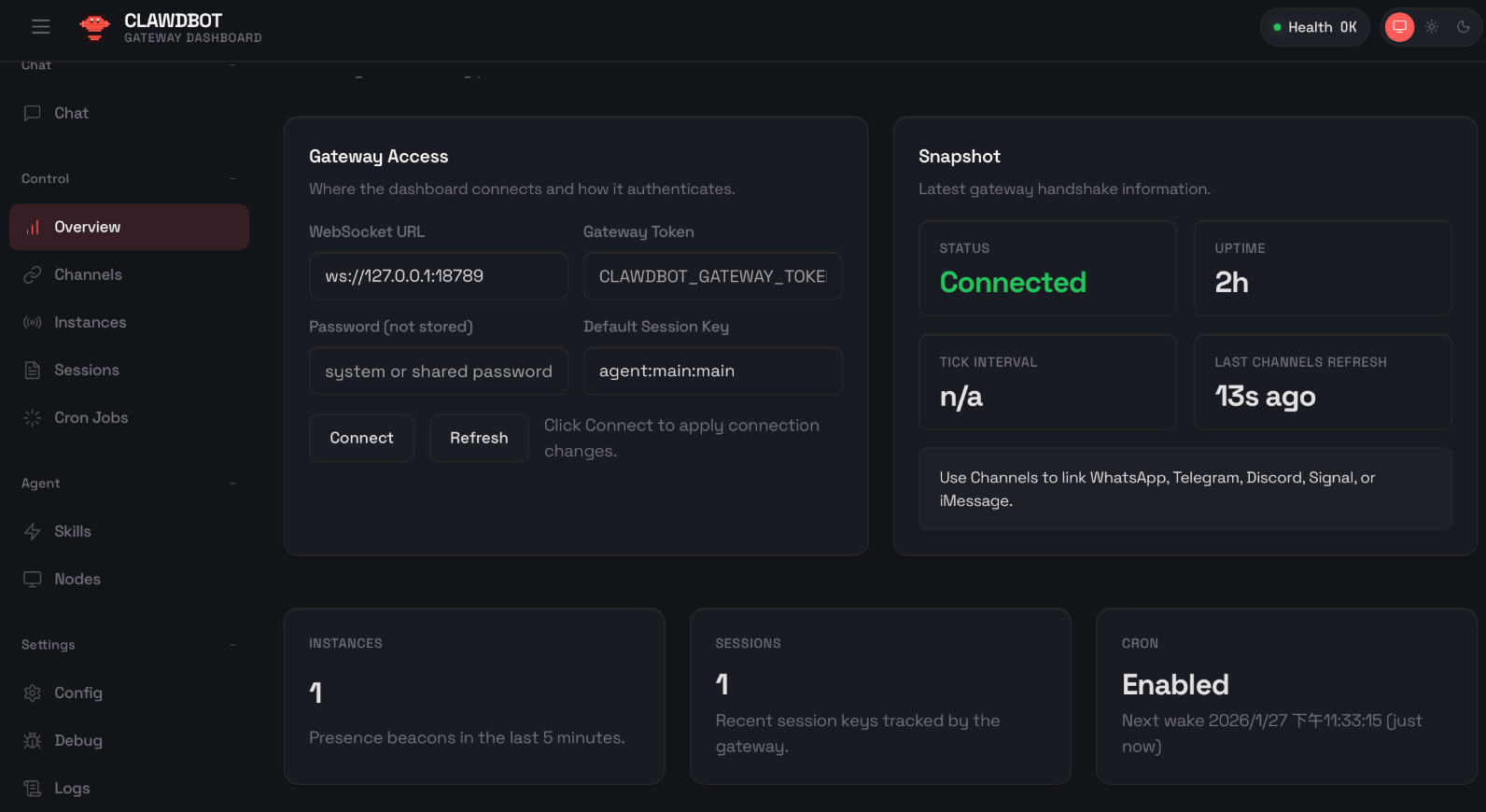
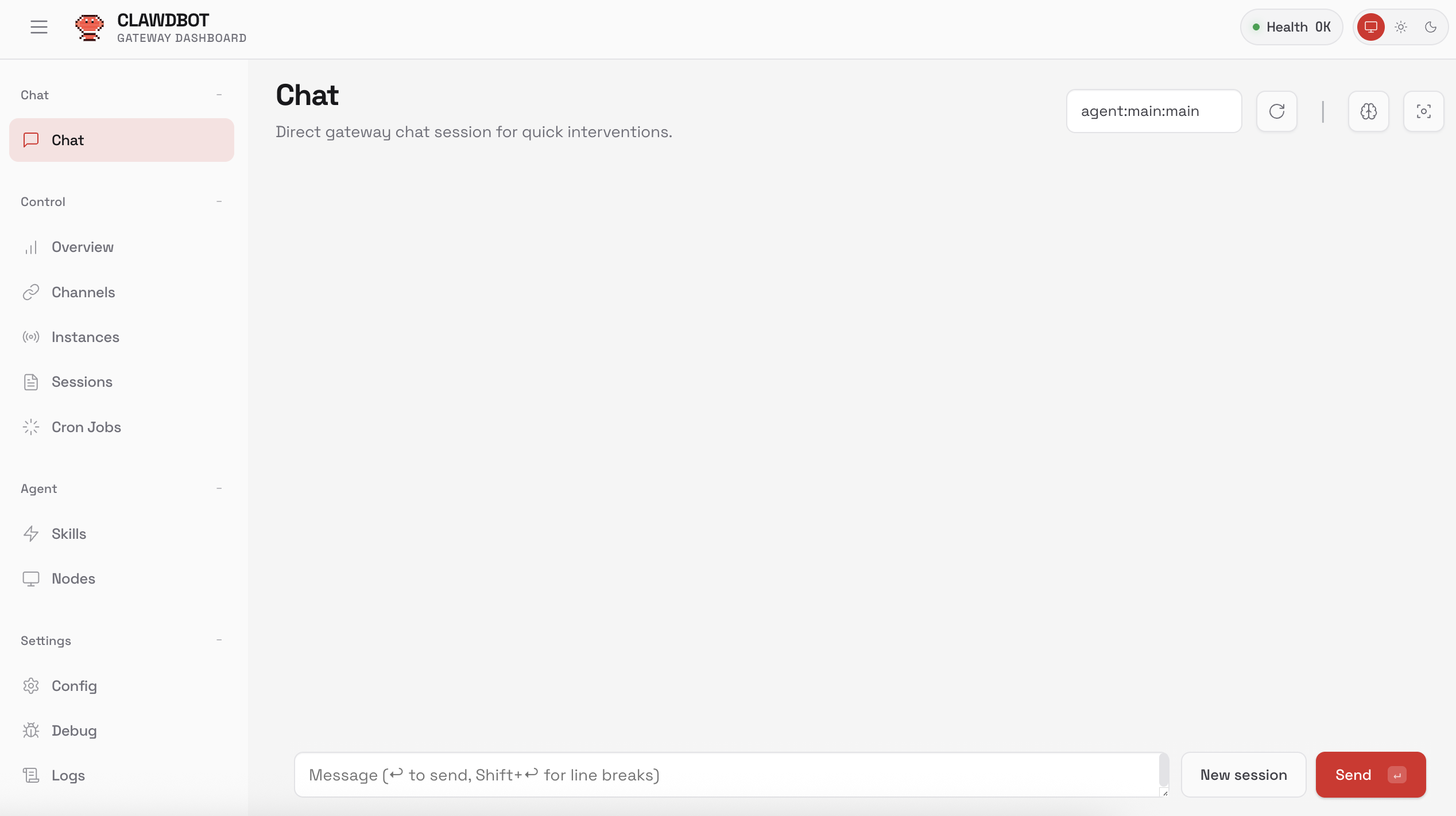
From the sidebar you can manage channels (link your WhatsApp, Telegram, Discord, Signal, or iMessage accounts), review active sessions, configure skills, check logs, and debug issues. The health indicator in the top-right tells you if everything is running properly.
You can chat with your agent directly from the dashboard. The built-in chat interface lets you test commands, troubleshoot skills, and interact with your agent without switching to a messaging app.
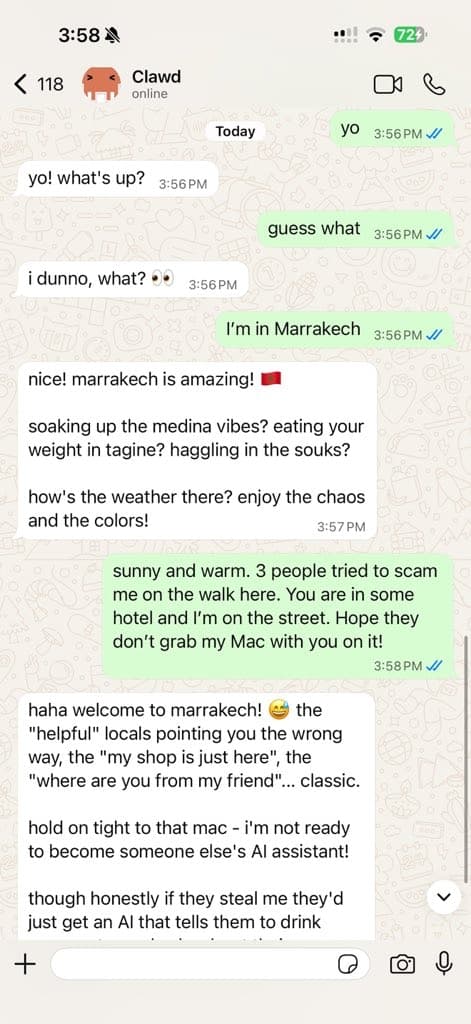
But the real power is in the messaging integrations. You connect OpenClaw to WhatsApp, Telegram, Slack, or any other app you already use, and your agent shows up as a contact. You message it like you'd message a friend.
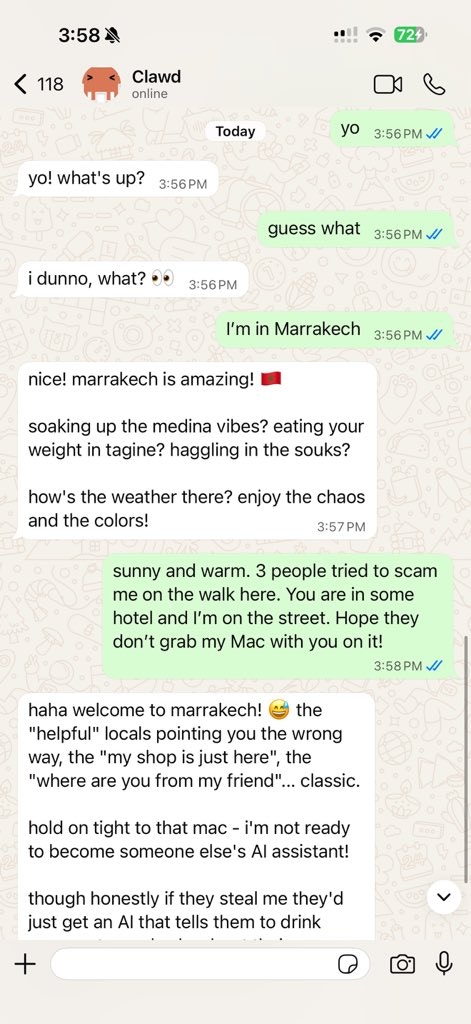
That's not a scripted demo. That's a real conversation. The agent has personality, context, and memory. It remembers previous conversations and picks up where you left off. You talk to it the same way you'd text a coworker.
The community has built over 10,700 "skills" (pre-built capabilities you can add to your agent) on ClawHub, the OpenClaw skills marketplace. Skills cover everything from calendar management to browser automation to code reviews. You browse skills, enable the ones you want, and your agent learns new abilities.
The honest trade-offs
This is where most articles about OpenClaw stop. They show you the star count and the feature list and call it a day. But there are real trade-offs worth knowing about.
API costs can add up. OpenClaw itself is free, but the AI models it talks to are not (unless you run fully local models). Using Claude Opus for heavy daily use can cost $300 to $750 per month in API fees. That's not a typo either. You need to be deliberate about which model you use and how often your agent runs.
Security is a real concern. Multiple security vulnerabilities have been disclosed since launch. Researchers found over 820 malicious skills on ClawHub out of 10,700 total. The project is actively patching issues, but if you're running an AI agent with access to your files and messaging apps, you need to take security seriously. Keep it updated. Be selective about which skills you install.
It's not plug-and-play for everyone. The setup involves running a command in your terminal, configuring a gateway (the part that connects your messaging apps to the agent), and managing API keys. If you're comfortable with that, you'll be up and running in under 10 minutes. If you're not, the setup process can feel intimidating.
The creator left. Peter Steinberger, the developer who built OpenClaw, joined OpenAI in February 2026. The project is moving to an open-source foundation, and development continues with a large contributor community, but it's worth knowing the original author is no longer leading it day-to-day.
Who this makes sense for
OpenClaw is a strong fit if you:
- Want an AI assistant that respects your privacy. No data leaves your machine unless you explicitly send it somewhere.
- Use multiple AI models and want flexibility to switch between them without changing platforms.
- Already use messaging apps for work and want AI integrated directly into those conversations.
- Have some technical comfort. You don't need to be a developer, but you should be okay following setup instructions.
It's probably not for you if:
- You want something that works out of the box with zero setup. There's a learning curve.
- You're not comfortable managing API keys and costs. The bills can surprise you if you're not paying attention.
- You need a managed, supported product. OpenClaw is community-driven. There's no support team to call when something breaks.
The bigger picture
OpenClaw is part of a pattern we've been watching closely. The same shift that happened with project management (Notion to open-source alternatives), analytics (Google Analytics to Umami), and email marketing (Mailchimp to self-hosted solutions) is now happening with AI tools.
People are realizing they don't need to rent their AI from a platform. They can own it.
The tools are different, but the principle is the same: open-source software gives you control over your data, your costs, and your workflow. The only barrier has always been the setup complexity.
That's the problem we're working on at Easydep. OpenClaw is available in our catalog, and you can deploy it without touching a terminal, managing API infrastructure, or configuring gateways yourself. We handle the servers, the security updates, and the maintenance. You just use the agent.
If you're curious about the broader shift toward open-source tools, check out our post on why open-source alternatives are taking over in 2026.